Table of Contents
Table of Contents
Why TiviMate is the Best IPTV Player for 4K Streaming in 2026
If you’re searching for a powerful and user-friendly IPTV solution for your Amazon Firestick, TiviMate has become the go-to choice for streaming enthusiasts worldwide. This comprehensive guide will walk you through everything you need to know about installing TiviMate on Firestick, complete with expert tips from Reddit communities and practical advice for optimizing your viewing experience. Whether you’re new to IPTV or looking to upgrade your current setup, this tutorial covers every step of the process.
TiviMate consistently ranks as the best IPTV player for 4K content due to its sleek interface, advanced EPG (Electronic Program Guide) capabilities, and robust feature set. Unlike generic streaming apps, TiviMate offers customization options that transform your Firestick into a professional-grade entertainment system. The app supports multiple playlists, catch-up TV, premium features, and delivers smooth playback even with high-resolution 4K streams.
Understanding TiviMate and Why IPTV Reddit Communities Recommend It
Before diving into the installation process, it’s important to understand what makes TiviMate special. According to discussions on iptv reddit forums, users consistently praise TiviMate for several key reasons:
- Intuitive interface designed specifically for large-screen TVs and streaming devices
- Support for multiple IPTV service providers simultaneously
- Advanced recording capabilities for time-shifting your favorite content
- Customizable channel lists and favorite groups
- Premium features that enhance the viewing experience without breaking the bank
- Regular updates and active developer support
- Compatibility with various IPTV service formats including M3U URLs and Xtream Codes API
The TiviMate Reddit community frequently discusses the app’s advantages over competitors like IPTV Smarters, Perfect Player, and other alternatives. Users particularly appreciate the app’s stability when handling large channel lists and its superior EPG integration, which makes navigating thousands of channels effortless.
Prerequisites Before You Install TiviMate on Firestick
Before beginning the installation process, ensure you have the following requirements in place:
- An Amazon Firestick (4K, Lite, or any generation from 2017 onwards)
- Active internet connection with minimum 10 Mbps speed for SD, 25 Mbps for HD, and 50 Mbps for 4K content
- A reliable IPTV service provider with M3U playlist URL or Xtream Codes login credentials
- Amazon account logged into your Firestick
- Approximately 10 minutes to complete the installation
For those still searching for a quality IPTV provider, consider exploring the most reliable IPTV provider for 4K streaming options available in 2026. Having a dependable service makes all the difference in your streaming experience.
Step-by-Step TiviMate Firestick Setup Guide
Follow these detailed instructions to successfully install and configure TiviMate on your Amazon Firestick device.
Step 1: Enable Apps from Unknown Sources
Since TiviMate isn’t available on the Amazon Appstore, you’ll need to enable installation from third-party sources:
- From your Firestick home screen, navigate to Settings (gear icon)
- Select My Fire TV or Device depending on your Firestick version
- Click on Developer Options
- Turn on Apps from Unknown Sources
- Confirm the warning message by selecting Turn On
This setting allows you to install the TiviMate APK Firestick file through the Downloader app, which is the safest and most straightforward method recommended by the community.
Step 2: Install the Downloader App
The Downloader app by AFTVnews is the preferred tool for sideloading applications onto Firestick devices:
- Return to the Firestick home screen
- Use the search function (magnifying glass icon) and type “Downloader”
- Select the Downloader app by AFTVNEWS
- Click Download or Get to install
- Once installed, click Open to launch the app
Step 3: Download TiviMate APK Firestick File
Now you’re ready to download the actual TiviMate application:
- Open the Downloader app
- If prompted, allow Downloader to access files on your device
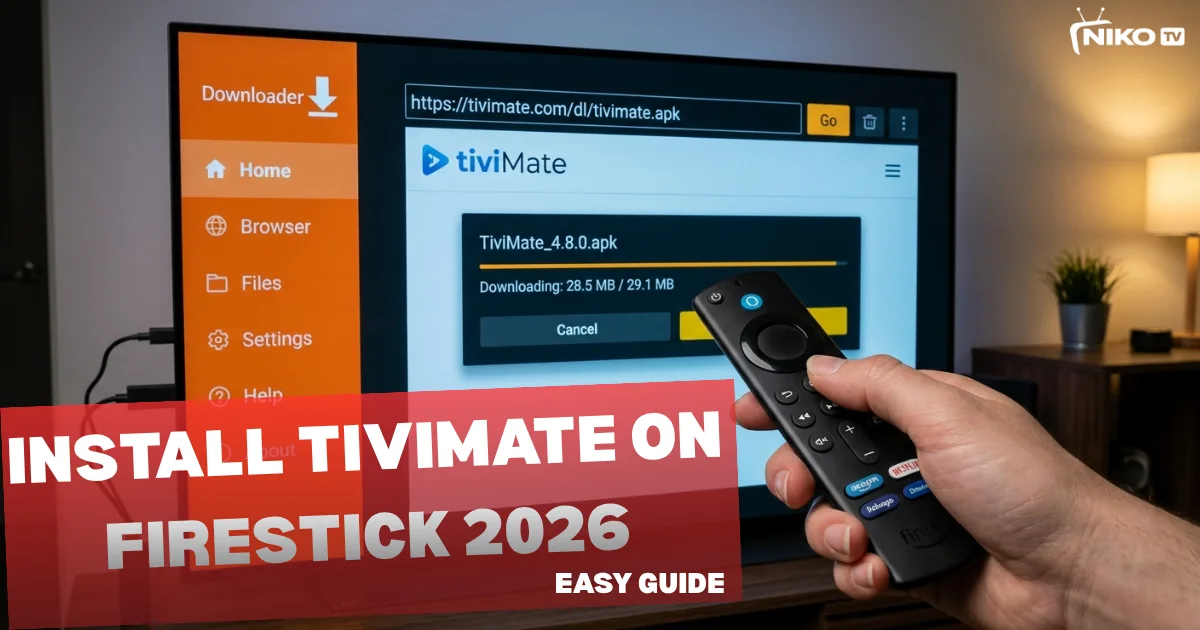
- In the URL field on the home screen, enter the official TiviMate download link: https://troypoint.com/tivimate
- Click Go and wait for the APK file to download (usually takes 10-30 seconds)
- Once downloaded, the installation prompt will appear automatically
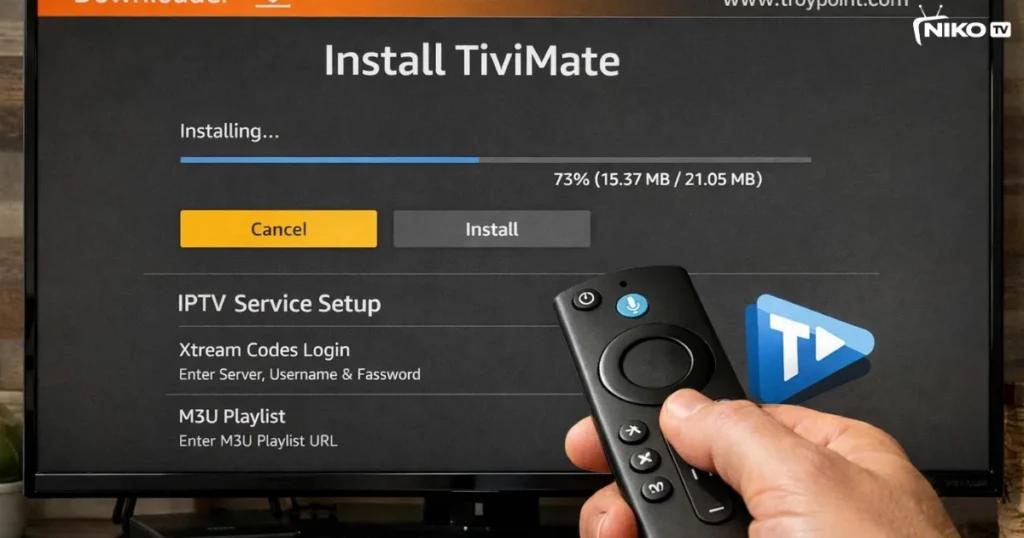
- Click Install and wait for the process to complete
- When finished, select Done (do not click “Open” yet)
If asked whether to delete the APK file, select Delete to free up storage space on your Firestick.
Step 4: Launch and Configure TiviMate
After installation, find TiviMate in your app library:
- From the Firestick home screen, navigate to Settings > Applications > Manage Installed Applications
- Scroll down to find TiviMate and select it
- Click Launch Application
- Alternatively, you can find TiviMate in the “Your Apps & Channels” section
For easier access in the future, consider moving TiviMate to your Firestick favorites or home screen.
How to Use TiviMate: Complete Configuration Guide
Once TiviMate is installed, you’ll need to add your IPTV service provider’s playlist to start watching content.
Adding Your First Playlist
- Launch TiviMate for the first time
- You’ll see a welcome screen—click on the plus (+) icon or “Add Playlist”
- Choose your playlist type:
- M3U Playlist URL: If your provider gave you a direct link
- Xtream Codes API: If you have login credentials (username, password, and server URL)
- Enter your playlist information provided by your IPTV service
- Give your playlist a recognizable name (e.g., “Main IPTV” or your provider’s name)
- Click Next and wait for TiviMate to load your channels
If you don’t have an IPTV provider yet, you can get a 24h IPTV free trial (no card) to test the setup before committing to a subscription.
Optimizing TiviMate Settings for Best Performance
To get the most out of your Firestick IPTV app experience, configure these essential settings:
- Player Settings: Navigate to Settings > Player and enable hardware decoding for smoother 4K playback
- EPG Settings: Set your EPG update frequency to automatically refresh program guides
- Buffer Settings: Increase buffer size if you experience frequent pausing (Settings > Player > Buffer size)
- Parental Controls: Set up PIN protection for adult channels if needed
- UI Customization: Adjust font sizes, channel logos, and theme colors to your preference
For users experiencing playback issues, check out this helpful guide on how to fix IPTV buffering issues on Firestick for advanced troubleshooting tips.
TiviMate Guide 2026: Advanced Features and Tips
TiviMate offers premium features that significantly enhance your viewing experience. While the free version is functional, upgrading to TiviMate Premium unlocks powerful capabilities.
TiviMate Premium Benefits
The premium version, available for a one-time fee or annual subscription, includes:
- Unlimited playlists (free version limited to one playlist)
- Recording functionality for scheduled and catch-up recordings
- Multiple profiles for different family members
- Ad-free experience
- Premium support from developers
- Picture-in-Picture mode
- Advanced EPG customization
According to TiviMate Reddit discussions, the premium upgrade is highly recommended for serious IPTV users. If you’re wondering how do i have to buy tivimate premium, the process is straightforward and can be completed directly within the app.
Reddit Tips for TiviMate Power Users
The TiviMate Reddit community has shared numerous tips for maximizing the app’s potential:
- Organize Channels: Create custom groups and favorite lists to quickly access preferred channels
- Use Catch-Up TV: If your provider supports it, enable catch-up to watch shows from the past week
- Keyboard Shortcuts: Connect a Bluetooth keyboard for faster navigation and channel switching
- Multiple Providers: Combine playlists from different providers for comprehensive channel coverage
- VPN Recommendation: Many Reddit users suggest using a VPN with your Firestick for privacy and accessing geo-restricted content
- Regular Updates: Check for TiviMate updates monthly to ensure optimal performance
NikoTV Provider Reddit Reviews and Recommendations
When discussing IPTV providers on Reddit forums, NikoTV frequently appears as a top recommendation for North American users. The NikoTv provider Reddit community highlights several advantages:
- Extensive channel selection including 10,000+ live channels
- Reliable 4K and FHD streaming quality
- Comprehensive EPG data that integrates perfectly with TiviMate
- Excellent customer support and active community
- Competitive pricing with flexible subscription options
- Compatible with all major IPTV players including TiviMate
Users particularly appreciate NikoTV’s stability during high-traffic events like sports championships and premium network premieres. For those interested in exploring this option, Why Niko TV is the best IPTV service provider in 2026 provides comprehensive details about the service features.
Troubleshooting Common TiviMate Installation Issues
Even with detailed instructions, you might encounter some challenges. Here are solutions to common problems:
Installation Failed Error
If you receive an installation error, ensure that “Apps from Unknown Sources” is properly enabled. You may also need to clear the cache on your Downloader app or restart your Firestick.
Playlist Not Loading
Check that your IPTV provider’s playlist URL is active and correctly entered. Contact your provider if the playlist has been updated or changed. Additionally, verify your internet connection is stable.
Playback Stuttering or Buffering
Increase buffer size in TiviMate settings, close background apps consuming bandwidth, or upgrade your internet connection. Hardware decoding should also be enabled for 4K content.
EPG Not Showing
Ensure your IPTV provider includes EPG data. In TiviMate settings, verify the EPG URL is correctly configured and set automatic updates to refresh program information regularly.
Comparing TiviMate with Other Firestick IPTV Apps
While several IPTV players exist for Firestick, TiviMate stands out for specific reasons. According to TechJunkie’s IPTV app comparison, TiviMate excels in user interface design and EPG functionality compared to alternatives like:
- IPTV Smarters Pro: Good functionality but less polished interface
- Perfect Player: Powerful but more complex configuration
- GSE Smart IPTV: Feature-rich but occasionally unstable on Firestick
- Kodi with IPTV Simple Client: Highly customizable but resource-intensive
For most users seeking a balance between features and ease of use, TiviMate remains the optimal choice, especially when paired with quality services like those listed in best IPTV services for Firestick in USA.
Legal Considerations and Best Practices
It’s important to note that TiviMate itself is completely legal—it’s simply a media player application. However, the legality of IPTV depends on your content provider and the channels they offer. Always choose legitimate IPTV providers that have proper licensing for their content.
Best practices include:
- Research your IPTV provider’s reputation and legitimacy
- Avoid providers offering unrealistic channel numbers at extremely low prices
- Use a VPN to protect your privacy while streaming
- Understand your local regulations regarding IPTV services
- Support content creators by choosing licensed services
Maximizing Your IPTV Experience in 2026
To truly optimize your streaming setup, consider these additional enhancements:
- Upgrade to a Firestick 4K Max for the best hardware performance
- Use a wired Ethernet connection instead of WiFi when possible
- Invest in a quality IPTV subscription with dedicated support
- Keep TiviMate and your Firestick firmware updated
- Explore global IPTV channels playlist options for international content
FAQs
1. How do I install TiviMate on Firestick?
You can install Tivimate using Downloader app by entering the APK URL and following the setup steps.
2. Is Tivimate free?
Tivimate has a free version, but premium features require a subscription.
3. Can I use Tivimate without IPTV service?
No, Tivimate is only a player. You need an IPTV subscription.
4. Is Tivimate legal?
Tivimate itself is legal, but legality depends on the IPTV service you use.
Conclusion
Installing TiviMate on your Firestick opens up a world of streaming possibilities with an interface that rivals premium cable services. By following this comprehensive guide, you’ve learned not only how to install and configure TiviMate but also how to optimize it for the best possible experience. The combination of TiviMate’s powerful features and a reliable IPTV provider creates an entertainment system that’s both affordable and feature-rich.
Remember to choose a reputable IPTV provider, keep your applications updated, and don’t hesitate to explore the premium features that make TiviMate truly exceptional. With the right setup, you’ll enjoy thousands of channels, crystal-clear 4K streaming, and a user experience that exceeds traditional cable television.
Next Step: Experience Premium IPTV with NikoTV
Ready to put your new TiviMate installation to the test? NikoTV offers one of the most comprehensive IPTV services available, with over 10,000 channels, 50,000+ VOD titles, and reliable 4K streaming quality. Don’t commit to a long-term subscription without testing the service first. Get your free 24h trial and experience premium IPTV with no credit card required. See for yourself why thousands of users trust NikoTV for their daily entertainment needs.